Archive for the ‘Duplicates’ Category
Tuesday, July 30th, 2024
The new version 5.09 of our Outlook duplicate removal software 1-Click Duplicate delete for Outlook is now available. The update fixes another possible crash.
More info about the program can be found on the Outlook-duplicate-removal page.
Posted in Duplicates, New Release, Outlook | Comments Off on Outlook duplicate delete software 5.09
Thursday, December 28th, 2023
The new version 5.08 of our Outlook duplicate removal software 1-Click Duplicate delete for Outlook is now available. The update fixes another possible crash.
More info about the program can be found on the Outlook-duplicate-removal page.
Posted in Duplicates, New Release, Outlook | Comments Off on Outlook duplicate delete software 5.08
Sunday, October 15th, 2023
The new version 5.07 of our Outlook duplicate removal software 1-Click Duplicate delete for Outlook is now available. The update fixes a possible crash.
More info about the program can be found on the Outlook-duplicate-removal page.
Posted in Duplicates, New Release, Outlook | Comments Off on Outlook duplicate delete software 5.07
Sunday, August 13th, 2023
The new version 5.06 of our Outlook duplicate removal software 1-Click Duplicate delete for Outlook is now available. The update fixes 2 more, minor bugs.
More info about the program can be found on the Outlook-duplicate-removal page.
Posted in Duplicates, New Release, Outlook | Comments Off on Outlook duplicate delete software 5.06
Wednesday, January 19th, 2022
The new version 5.05 of our Outlook duplicate removal software 1-Click Duplicate delete for Outlook is now available. The update fixes 2 minor bugs.
More info about the program can be found on the Outlook-duplicate-removal page.
Posted in Duplicates, New Release, Outlook | Comments Off on Outlook duplicate delete software 5.05
Tuesday, January 11th, 2022
The new version 2.04 of our duplicate file removal software 1-Click Duplicate delete for Files is now available. The update allows the use of the software on ARM tablets with x86 emulation.
More info about the program can be found on the File-duplicate-removal page.
Posted in Duplicates, Files, New Release | Comments Off on Delete duplicate files 2.04
Thursday, July 30th, 2020
The new version 5.04 of our Outlook duplicate removal software 1-Click Duplicate delete for Outlook is now available. The update improves the detection of duplicates containing links in the e-mail body
More info about the program can be found on the Outlook-duplicate-removal page.
Posted in Duplicates, New Release, Outlook | Comments Off on Outlook duplicate delete software 5.04
Wednesday, September 18th, 2019
 The new version 5.02 of our Outlook duplicate removal software 1-Click Duplicate delete for Outlook is now available. The update fixes an issue with the undo function.
More info about the program
can be found on the Outlook-duplicate-removal page.
Posted in Duplicates, New Release, Outlook | Comments Off on Outlook duplicate delete software 5.02
Wednesday, July 4th, 2018
 The new version 5.01 of our Outlook duplicate removal software 1-Click Duplicate delete for Outlook is now available. The update fixes 2 smaller issues regarding Exchange servers and startup problems.
More info about the program can be found on the Outlook-duplicate-removal page.
Posted in Duplicates, New Release, Outlook | Comments Off on Outlook duplicate delete software 5.01
Monday, January 15th, 2018
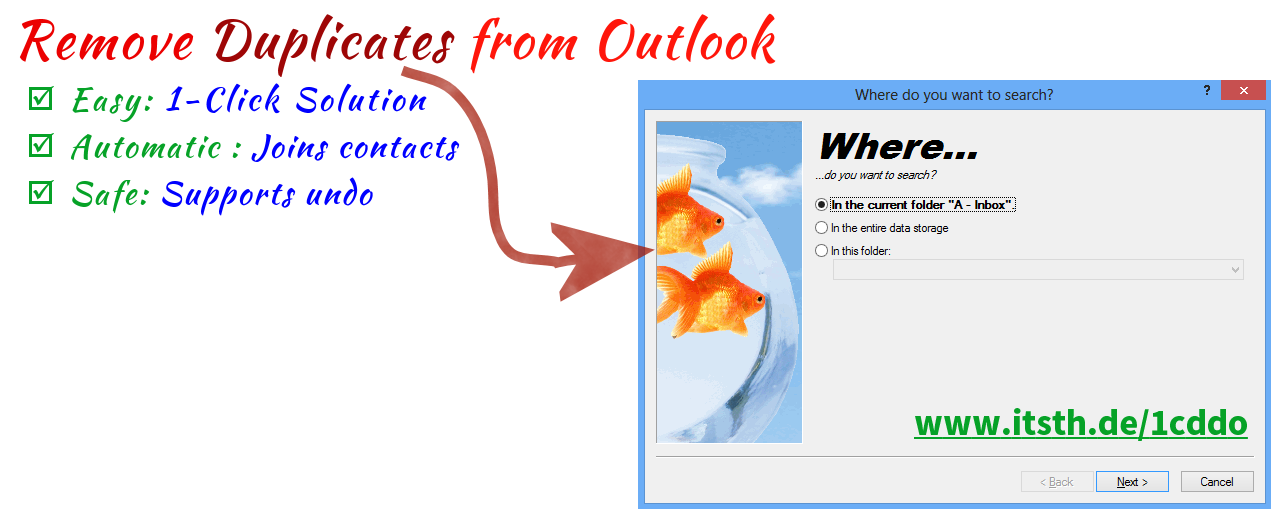
The new version 5.00 of our Outlook duplicate removal software 1-Click Duplicate delete for Outlook is now available. The update brings lots of new features and improvements.
You can now automatically keep the duplicate version with the longest folder name. In addition, the contact recognition now recognizes wrongly placed Mr/Mrs texts and can also clean up the comment when scrubbing contacts. Also, duplicate newsletters are now better recognized.
More info about the program can be found on the Outlook-duplicate-removal page.
Posted in Duplicates, New Release, Outlook | Comments Off on Outlook duplicate delete software 5.00
Tuesday, February 7th, 2017
 The new version 4.17 of our Outlook duplicate removal software 1-Click Duplicate delete for Outlook is online. The update fixes a possible crash during the Outlook start.
More info about the program can be found on the Outlook-duplicate-removal page.
Posted in Duplicates, New Release, Outlook | Comments Off on Outlook duplicate-removal 4.17
Thursday, January 12th, 2017
The new version 4.16 of our Outlook duplicate removal software 1-Click Duplicate delete for Outlook is available. The update solves some detail issues.
More info about the program can be found on the Outlook-duplicate-removal page.
Posted in Duplicates, New Release, Outlook | Comments Off on Outlook duplicate-removal 4.16
Wednesday, October 12th, 2016
The new version 4.15 of our Outlook duplicate removal software 1-Click Duplicate delete for Outlook is available. The update fixes some smaller issues.
More info about the program can be found on the Outlook-duplicate-removal page.
Posted in Duplicates, New Release, Outlook | Comments Off on Outlook duplicate-removal 4.15
Wednesday, September 7th, 2016
The new version 2.03 of our tool 1-Click Duplicate Delete for Files is now available. The update includes a fix for an immediate crash which happens with the 64 bit version in combination with Windows 10 Build 14905 (Fast Ring).The update fixes an issue that could occur when an invalid file date was encountered.
More info about the software can be found on the duplicate files search page.
Posted in Duplicates, Files, New Release | Comments Off on Removing duplicate files 2.03
Tuesday, March 15th, 2016
The new version 4.14 of our Outlook duplicate removal software 1-Click Duplicate delete for Outlook is available. The update fixes a problem with PST files, where duplicates sometimes couldn’t be removed.
More info about the program can be found on the Outlook-duplicate-removal page.
Posted in Duplicates, New Release, Outlook | Comments Off on Outlook duplicate-removal 4.14
