Archive for the ‘Sync’ Category
Sunday, August 18th, 2024
The new version 10.04 of our Outlook-Sync software Easy2Sync for Outlook is available. The update fixes several smaller problems.
More information about the program can be found of the Outlook sync page.
Posted in New Release, Outlook, Sync | Comments Off on Synchronizing Outlook 10.04
Saturday, November 18th, 2023
The new version 10.03 of our Outlook-Sync software Easy2Sync for Outlook is available. The update fixes several smaller problems.
More information about the program can be found of the Outlook sync page.
Posted in New Release, Outlook, Sync | Comments Off on Synchronizing Outlook 10.03
Tuesday, March 28th, 2023
The new version 8.05 of our file sync software Easy2Sync for files is available. The update fixes some smaller issues and adds the new “sync + hibernate” function to the task’s context menu.
More information can be found on the file sync page.
Posted in Files, New Release, Sync | Comments Off on Easy2Sync for Files 8.05
Tuesday, June 7th, 2022
The new version 10.02 of our Outlook-Sync software Easy2Sync for Outlook is available. The update works around a bug in the Outlook drivers that caused a crash on some customer systems.
More information about the program can be found of the Outlook sync page.
Posted in New Release, Outlook, Sync | Comments Off on Synchronizing Outlook 10.02
Wednesday, April 20th, 2022
The new version 10.01 of our Outlook-Sync software Easy2Sync for Outlook is available. It brings some detail fixes for the renewed Google contact sync.
More information about the program can be found of the Outlook sync page.
Posted in New Release, Outlook, Sync | Comments Off on Synchronizing Outlook 10.01
Tuesday, March 15th, 2022
The new version 8.04 of our file sync software Easy2Sync for files is available. The update improves the compatibility with ARM tablets and allows to skip the scan on the target side during backup to save traffic.
More information can be found on the file sync page.
Posted in Files, New Release, Sync | Comments Off on Easy2Sync for Files 8.04
Monday, August 16th, 2021
The new version 10.00 of our Outlook-Sync software Easy2Sync for Outlook is available. Because Google turns off the old contact API, the Google-contact-sync was implemented again with the new API.
More information about the program can be found of the Outlook sync page.
Posted in New Release, Outlook, Sync | Comments Off on Synchronizing Outlook 10.00
Thursday, February 11th, 2021
We just published version 8.03 of our file-sync software Easy2Sync for Files. You can now easily trigger a Windows shutdown (or hibernation) every time a certain task was run.
More information can be found on the file sync page.
Posted in Files, Sync | Comments Off on Easy2Sync for Files 8.03
Thursday, February 11th, 2021
The new version 9.20 of our Outlook-Sync software Easy2Sync for Outlook is available. You can now easily trigger a Windows shutdown (or hibernation) every time a certain task was run.
More information about the program can be found of the Outlook sync page.
Posted in New Release, Outlook, Sync | Comments Off on Synchronizing Outlook 9.20
Thursday, April 30th, 2020
The new version 9.19 of our
Outlook-Sync software Easy2Sync for Outlook is available. You can now exclude
subfolders from the sync. This update fixes a crash at program startup caused
by an Outlook driver update now also for 64 bit Outlook.
More information about the
program can be found of the Outlook sync page.
Posted in New Release, Outlook, Sync | Comments Off on Synchronizing Outlook 9.19
Tuesday, April 28th, 2020
The new version 9.18 of our
Outlook-Sync software Easy2Sync for Outlook is available. You can now exclude
subfolders from the sync. This update fixes a crash at program startup caused
by an Outlook driver update.
More information about the
program can be found of the Outlook sync page.
Posted in New Release, Outlook, Sync | Comments Off on Synchronizing Outlook 9.18
Tuesday, February 25th, 2020
The new version 9.17 of our Outlook-Sync software
Easy2Sync for Outlook is available. You can now exclude subfolders from the
sync. Furthermore the Google-Contacts-Sync is improved and the performance in
complex networks is accelerated.
More information about the
program can be found of the Outlook sync page.
Posted in New Release, Outlook, Sync | Comments Off on Synchronizing Outlook 9.17
Wednesday, September 11th, 2019
 We just published version 8.02 of our file-sync software Easy2Sync for Files. The update improves the stability of very large uploads via ftp/ftps.
More information can be found
on the file sync page.
Posted in Files, New Release, Sync | Comments Off on Easy2Sync for Files 8.02
Wednesday, May 15th, 2019
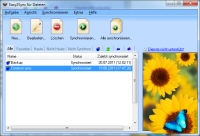 We just published version 8.01 of our file-sync software Easy2Sync for Files. This update fixes problems with FTP+umlauts, copies of task collections, and automatic start on changes.
More information can be found on the file sync page.
Posted in Files, New Release, Sync | Comments Off on Easy2Sync for Files 8.01
Tuesday, January 29th, 2019
 The new version 9.16 of our Outlook sync program Easy2Sync for Outlook is now online. This update fixes another problem caused by changes on the Google server. In addition, you can now assign a category (and color) to the Team Calendar Sync.
More information about the program can be found of the Outlook sync page.
Posted in New Release, Outlook, Sync | Comments Off on Synchronizing Outlook and Google Contacts 9.16 (again)