Archive for the ‘Files’ Category
Sunday, August 18th, 2024
The new version 8.06 of our file sync software Easy2Sync for files is available. The update improves details about rotating backups and excluding developer directories.
More information can be found on the file sync page.
Posted in Files, New Release, Outlook | Comments Off on Easy2Sync for Files 8.06
Tuesday, March 28th, 2023
The new version 8.05 of our file sync software Easy2Sync for files is available. The update fixes some smaller issues and adds the new “sync + hibernate” function to the task’s context menu.
More information can be found on the file sync page.
Posted in Files, New Release, Sync | Comments Off on Easy2Sync for Files 8.05
Tuesday, March 15th, 2022
The new version 8.04 of our file sync software Easy2Sync for files is available. The update improves the compatibility with ARM tablets and allows to skip the scan on the target side during backup to save traffic.
More information can be found on the file sync page.
Posted in Files, New Release, Sync | Comments Off on Easy2Sync for Files 8.04
Tuesday, January 11th, 2022
The new version 2.04 of our duplicate file removal software 1-Click Duplicate delete for Files is now available. The update allows the use of the software on ARM tablets with x86 emulation.
More info about the program can be found on the File-duplicate-removal page.
Posted in Duplicates, Files, New Release | Comments Off on Delete duplicate files 2.04
Thursday, February 11th, 2021
We just published version 8.03 of our file-sync software Easy2Sync for Files. You can now easily trigger a Windows shutdown (or hibernation) every time a certain task was run.
More information can be found on the file sync page.
Posted in Files, Sync | Comments Off on Easy2Sync for Files 8.03
Wednesday, September 11th, 2019
 We just published version 8.02 of our file-sync software Easy2Sync for Files. The update improves the stability of very large uploads via ftp/ftps.
More information can be found
on the file sync page.
Posted in Files, New Release, Sync | Comments Off on Easy2Sync for Files 8.02
Wednesday, May 15th, 2019
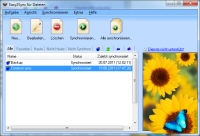 We just published version 8.01 of our file-sync software Easy2Sync for Files. This update fixes problems with FTP+umlauts, copies of task collections, and automatic start on changes.
More information can be found on the file sync page.
Posted in Files, New Release, Sync | Comments Off on Easy2Sync for Files 8.01
Tuesday, November 6th, 2018
We just published version 8.00 of our file-sync software Easy2Sync for Files. The update speeds up the sync, especially when you have a lot of files. Also repair folders can now be synchronized (helpful for OneDrive).
More information can be found on the file sync page.
Posted in Files, New Release, Sync | Comments Off on Easy2Sync for Files 8.00
Tuesday, October 17th, 2017
We just published version 7.08 of our file-sync software Easy2Sync for Files. The update fixes several smaller problems.
More information can be found on the file sync page.
Posted in Files, New Release, Sync | Comments Off on Easy2Sync for Files 7.08
Wednesday, November 30th, 2016
We just published version 7.07 of our file-sync software Easy2Sync for Files. The update brings a quick search for tasks and fixes some minor problems.
More information can be found on the file sync page.
Posted in Files, New Release, Sync | Comments Off on Easy2Sync for Files 7.07
Wednesday, September 7th, 2016
The new version 2.03 of our tool 1-Click Duplicate Delete for Files is now available. The update includes a fix for an immediate crash which happens with the 64 bit version in combination with Windows 10 Build 14905 (Fast Ring).The update fixes an issue that could occur when an invalid file date was encountered.
More info about the software can be found on the duplicate files search page.
Posted in Duplicates, Files, New Release | Comments Off on Removing duplicate files 2.03
Wednesday, August 31st, 2016
We just published version 7.06 of our file-sync software Easy2Sync for Files. The update includes a fix for an immediate crash which happens with the 64 bit version in combination with Windows 10 Build 14905 (Fast Ring).
More information can be found on the file sync page.
Posted in Files, New Release, Sync | Comments Off on Easy2Sync for Files 7.06
Tuesday, June 7th, 2016
We just published version 7.05 of our file-sync software Easy2Sync for Files. The update includes several bugfixes and improves the background sync.
More information can be found on the file sync page.
Posted in Files, New Release, Sync | Comments Off on Easy2Sync for Files 7.05
Tuesday, October 27th, 2015
We just published version 7.04 of our file-sync software Easy2Sync for Files. The update includes (apart from small bugfixes) new task types and options for the special case that you want to sync without deleting anything / on one side.
More information can be found on the file sync page.
Posted in Files, New Release, Sync | Comments Off on Easy2Sync for Files 7.04
Monday, April 13th, 2015
We just published version 7.03 of our file-sync software Easy2Sync for Files. The update includes several small bugfixes.
More information can be found on the file sync page.
Posted in Files, New Release, Sync | Comments Off on Easy2Sync for Files 7.03
