Archive for the ‘New Release’ Category

Delete Outlook duplicates 3.13

Tuesday, June 7th, 2011

Don’t fear the 13! The new version 3.13 of 1-Click Duplicate Delete for Outlook has some detail improvements. We improved the recognition of duplicate newsletters. Furthermore we fixed a problem regarding duplicate notes and a problem that could happen in rare cases when starting Outlook.

More information about the program can be found on the Outlook duplicate page.

Autocorrection 1.04

Tuesday, May 17th, 2011

A minor update of our autocorrection software ZeroClick Spellchecker. The new version 1.04 allows you to configure the hotkeys for the undo and to turn the software on and off. Furthermore you can now configure the length of the time window for the undo function.

More infos about the program can be found on the autocorrection page.

File sync 1.43

Monday, May 16th, 2011

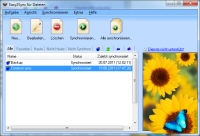
The new version 1.43 of our file-sync-software “Easy2Sync for Files” is now available. The update includes several detail improvements and new features.

Easy2Sync for Files now includes a new copy mode for so-called “incremental backups” where every day the changed files are saved. Furthermore in includes a reworked file dialog (with new filters) and it’s now easier to reach sub-dialogs that a configured via checkboxes.

More information about the program can be found on the file sync page.

Outlook Duplicates 3.12

Wednesday, May 4th, 2011

The new version 3.12 of our duplicate removal tool for Outlook „1-Click Duplicate Delete for Outlook“ is now available. Once again there a several smaller improvements. New users are now supported with a tutorial, the program can now handle swapped names even better and a bug regarding the folder selection in advanced mode was fixed.

More information about the program can be found on the Outlook duplicate page.

Auto-correction 1.03

Saturday, April 30th, 2011

The new version 1.03 of our auto-correction software “ZeroClick Spellchecker” is now available. The program now looks nicer, is compatible to third-party text module software and recognizes when you’re editing HTML documents.

More information about the software can be found on our new auto-correction page.


Company Logo Designer 2.12

Monday, April 11th, 2011

A small update for our logo design software. Apart from some smaller changes it’s now possible to open .CompanyLogo files simply by double-clicking them.

More information about the program can be found on the logo design page.

ZeroClick Spellchecker 1.02

Friday, April 1st, 2011

We’ve just published the new version 1.02 of our auto-correction software ZeroClick Spellchecker. The new version features an improved recognition of typos (and of URLs which shouldn’t be changed) and fixes a bug which could cause an “incorrect correction” in 1% of the cases.

For more info, please refer to the auto-correction page.

ReplyButler + Social Pane = 4.10

Monday, March 28th, 2011

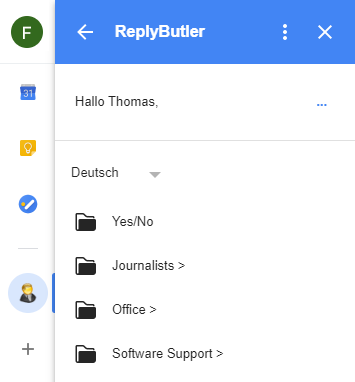
We’ve just published the new version 4.10 of our text modules software ReplyButler for Outlook. The new release allows you to use the Outlook 2010 “Social Pane” while using ReplyButler. So far this was a problem, but that’s now resolved.

Furthermore the new release fixes a problem with the attachment-forgotten-warning. If you were connected with an Exchange server, you might have seen this warning even though you didn’t forget the attachment.

More information about ReplyButler can be found on the Outlook text module page.

Outlook De-Duplication 3.11

Friday, March 11th, 2011

The new version 3.11 of our software 1-click duplicate delete for Outlook is now available. If contains a number of detail improvements. It’s a bit faster, it has better help texts and handles contacts with incorrectly entered first / last names even better.

For more info about the program refer to the Outlook duplicate page.

Outlook sync 4.06

Thursday, March 10th, 2011

A quick update for Easy2Sync for Outlook because the previous release could cause Easy2Sync to crash right at the start, if Outlook 2010 64-bit was used.
More information about Easy2Sync for Outlook can be found on the Outlook sync page.

Auto-Correction 1.01

Monday, February 28th, 2011

Our auto-correction software ZeroClick Spellchecker has just received its first update. We improved the looks of the user interface and the correction quality. Due to the new algorithms and dictionaries the program can now correct even better.

More information about the program can be found on the auto-correction page.

Outlook text modules 4.09

Thursday, February 24th, 2011

The new version 4.09 of ReplyButler is available. Apart from some minor corrections the internal structure was modernized to stop some problems (like the wrong mail icon) from occurring. Furthermore the name recognition was improved for merchants that receive mails from Amazon Marketplace.

More information about ReplyButler can be found on the Outlook text module page.

Outlook sync 4.05

Tuesday, February 22nd, 2011

The new version 4.05 of Easy2Sync for Outlook is available. Once again with a number of detail improvements, for example for team calendars, the deleting of folders and the user interface (for sub-dialogs).
More information about the program can be found on the Outlook sync page.

New product: ZeroClick Spellchecker

Monday, January 24th, 2011

Correction of "mistke".

Are you fed up with correcting your typos? Then our new product is just what you need. ZeroClick Spellchecker watches what you type and corrects mistakes automatically. So you don’t have to search red lines, right-click or select anything. Just continue typing.

ZeroClick Spellchecker works with all current Windows versions and virtually all applications (browser, e-mail, word processor, etc…) And helped me a lot while typing this text.

More information can be found on the homepage of ZeroClick Spellchecker.

Outlook duplicate search 3.10

Wednesday, January 19th, 2011

The new version 3.10 of 1-Click Duplicate Delete for Outlook is now available. The update includes detail improvements for the recognition of duplicate contacts.

More information about the program can be found on the outlook duplicate page.