Archive for the ‘Sync’ Category
Thursday, May 19th, 2016
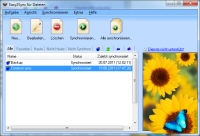 The new version 9.05 of our Outlook synchronization software Easy2Sync for Outlook is now online. The update brings a new filter, more speed, more efficient RAM use, etc.. More information about the program can be found of the Outlook sync page.
Posted in New Release, Outlook, Sync | Comments Off on Synchronizing Outlook 9.05
Monday, February 8th, 2016
 The new version 9.04 of our Outlook synchronization software Easy2Sync for Outlook is now online. The update contains several improvements and fixes for the Google contact sync, synchronizing in the background, Outlook 2016, etc.. More information about the program can be found of the Outlook sync page.
Posted in New Release, Outlook, Sync | Comments Off on Synchronizing Outlook 9.04
Tuesday, December 8th, 2015
The new version 9.03 of our Outlook synchronization software Easy2Sync for Outlook is now available. The update fixes some smaller issues and a possible crash that could happen during data merging.
More information about the program can be found of the Outlook sync page.
Posted in New Release, Outlook, Sync | Comments Off on Synchronizing Outlook 9.03 – Improved Sync with ‘Leave message messages on server’
Monday, November 23rd, 2015
The new version 9.02 of our Outlook synchronization software Easy2Sync for Outlook is now available. The update introduces an automatic fixing of problems caused by the Outlook option ‘leave messages on server’ and improves some details concerning the synchronizing of Google contacts / appointments.
More information about the program can be found of the Outlook sync page.
Posted in New Release, Outlook, Sync | Comments Off on Synchronizing Outlook 9.02 – Sync with ‘Leave message messages on server’
Tuesday, October 27th, 2015
 We just published version 7.04 of our file-sync software Easy2Sync for Files. The update includes (apart from small bugfixes) new task types and options for the special case that you want to sync without deleting anything / on one side.
More information can be found on the file sync page.
Posted in Files, New Release, Sync | Comments Off on Easy2Sync for Files 7.04
Wednesday, September 9th, 2015
The new version 9.01 of our Outlook synchronization software Easy2Sync for Outlook is now available. The update improves several details concerning the handling of Google contacts.
More information about the program can be found of the Outlook sync page.
Posted in New Release, Outlook, Sync | Comments Off on Synchronizing Outlook 9.01 – Google contacts sync improvements
Thursday, August 20th, 2015
The new version 9.00 of our Outlook synchronization software Easy2Sync for Outlook is now available. The program now supports a sync between Outlook and Google contacts. Furthermore the Windows 10 and Outlook 2016 compatibility is improved.
More information about the program can be found of the Outlook sync page.
Tags: Google contacts
Posted in New Release, Outlook, Sync | Comments Off on Synchronizing Outlook 9.00 – Now with Google contacts
Monday, May 4th, 2015
 The new version 8.03 of our Outlook synchronization software Easy2Sync for Outlook is now available. The update includes various smaller improvements.
More information about the program can be found of the Outlook sync page.
Posted in New Release, Outlook, Sync | Comments Off on Synchronizing Outlook 8.03
Monday, April 13th, 2015
We just published version 7.03 of our file-sync software Easy2Sync for Files. The update includes several small bugfixes.
More information can be found on the file sync page.
Posted in Files, New Release, Sync | Comments Off on Easy2Sync for Files 7.03
Tuesday, January 20th, 2015
 We just published version 7.02 of our file-sync software Easy2Sync for Files. The update brings llots of small improvements and fixes.
More information can be found on the file sync page.
Posted in Files, New Release, Sync | Comments Off on Easy2Sync for Files 7.02
Friday, January 9th, 2015
The new version 8.02 of our Outlook synchronization software Easy2Sync for Outlook is now available. The update includes brings stability improvements for the sync with a Google Calendar and over the local network.
More information about the program can be found of the Outlook sync page.
Posted in New Release, Outlook, Sync | Comments Off on Synchronizing Outlook 8.02
Monday, December 8th, 2014
The new version 8.01 of our Outlook synchronization software Easy2Sync for Outlook is now available. The update includes several detail improvements for the sync with a Google Calendar.
More information about the program can be found of the Outlook sync page.
Posted in New Release, Outlook, Sync | Comments Off on Synchronizing Outlook 8.01
Tuesday, September 23rd, 2014
We just published version 7.01 of our file-sync software Easy2Sync for Files. The new version brings several small improvements and bug fixes.
More information can be found on the file sync page.
Posted in Files, New Release, Sync | Comments Off on Easy2Sync for Files 7.01
Thursday, August 28th, 2014
The new version 7.00 of our Outlook synchronization software Easy2Sync for Outlook is now available. The update introduces a modernized user interface and improved network stability.
More information about the program can be found of the Outlook sync page.
Posted in New Release, Outlook, Sync | Comments Off on Synchronizing Outlook 7.00
Tuesday, July 29th, 2014
We just published version 7.00 of our file-sync software Easy2Sync for Files. The new version brings a redesigned user interface, SSL/TLS for e-mails and a lot of detail improvements.
More information can be found on the file sync page.
Posted in Files, New Release, Sync | Comments Off on Easy2Sync for Files 7.00
