May 20th, 2010
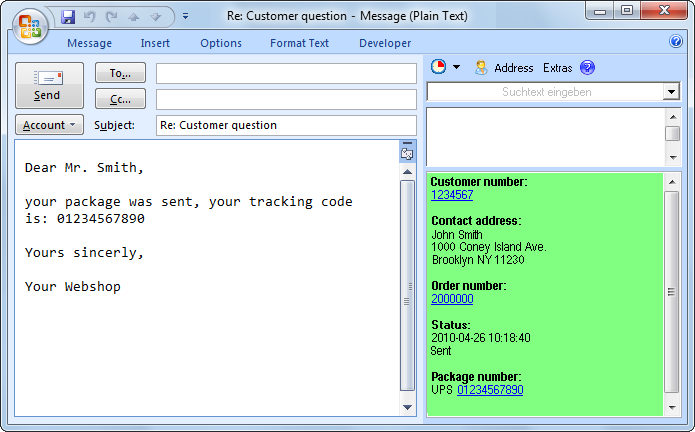 The new ReplyButler 4.00 is available and brings great news. The biggest one  is the support for the plentyMarkets shop system. If you’re running such a shop, you’ll see immediately the key data for each e-mail: customer number, address, order number, status and package number.
The text modules can also use the shop system’s data. Such a text module might for example automatically include the package number of the customer’s most recent order. If that’s not enough there’s a hotkey to bring you from the e-mail or e-mail list to the customer page in your shop administration.
Furthermore the text modules can now include images and add new recipients to the e-mail.
And if you’re using a different CRM / shop system, you can configure the mentioned features yourself manually.
More information about ReplyButler for Outlook and text modules can be found on the homepage, and there’s a new sub-page just for plentyMarkets.
Posted in New Release, ReplyButler | Comments Off on ReplyButler 4.00: Outlook and plentyMarkets
May 17th, 2010
 The new version 4.0 of Easy2Sync for Outlook is available. While the previous version only had a “half” support for Outlook 2010, this release completely supports the new Microsoft Outlook version. Including the 64 bit mode. This works completely automatically, the user doesn’t have to do anything special. Even the combination of the 64 bit mode with other / older 32 bit Outlook versions is supported.
More information about the program can be found on the Outlook sync page.
Posted in New Release, Outlook, Sync | Comments Off on Synchronizing Outlook 2010
May 10th, 2010
 We have just published version 3.04 of our Outlook duplicate recognition software 1-Click duplicate delete for Outlook. It’s easy to summarize the changes: We have improved the duplicate recognition algorithms to allow more types of duplicates (especially duplicate e-mails in Outlook) to be automatically recognized.
More info about the program can be found on at Outlook duplicate removal product page.
Posted in Duplicates, New Release, Outlook | Comments Off on Improved Outlook duplicate search
April 30th, 2010
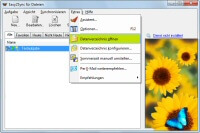 The new version of our file sync tool Easy2Sync for Files is available. Once again it features a number of detail improvements about environment variables, tabs, icons and butterflies.
More information about the program can be found on the program’s file sync homepage.
Posted in Files, New Release, Sync | Comments Off on Easy2Sync for Files 1.39
April 11th, 2010
 The Company Logo Designer, our software to design logos quickly and inexpensively is now available as version 2.10. There’s only one things that can be said about the new version: Faster. Especially for complex logos you’ll note the difference because they’re now drawn 3x faster.
More info about the program can be found on the product page of Company Logo Designer.
Posted in Company Logo Designer, New Release | Comments Off on Designing company logo 3x faster
April 10th, 2010
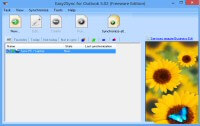 We have published a new release of our Outlook sync software “Easy2Sync for Outlook”. The new release 3.07 includes a number of detail improvements and small bugfixes to make it even easier to synchronize e-mails, calendar items and contacts.
All information and the download can be found on the Outlook sync product page.
Posted in New Release, Outlook, Sync | Comments Off on Easy2Sync for Outlook 3.07
April 7th, 2010
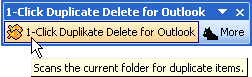 The new version 3.03 of 1-Click Duplicate Delete for Outlook is available. Now with complete support for Outlook 2010 (including 64 bit), so it’s now possible to remove duplicate e-mails, contacts & calendar items on these systems, too.
Furthermore the program now includes the useful option to compare two objects. This makes it easy to understand the differences between 2 e-mails (contacts, calendar items) that seem to be identical.
More info can be found on the product page of the Outlook duplicate removal tool.
Posted in Duplicates, New Release, Outlook | Comments Off on Searching for Duplicates in Outlook 2010
April 2nd, 2010
 The new version 1.08 of the TheBest Minimize to Tray is now available. It fixes a small bug with the context menu of the try icons of minimized programs. You can find more information about the program and the download links on the product homepage:Â TheBest Minimize to Tray
Posted in Minimize to Tray, New Release | Comments Off on TheBest Minimize to Tray 1.08
April 1st, 2010
It’s not an April Fool’s joke, ReplyButler (Home Edition) really is free today. You can get it here.  The promotion word is “April”.
It’s free, but only today. Â If you want to tell a friend, better hurry.
Posted in Free, ReplyButler | Comments Off on ReplyButler is free today
March 27th, 2010
Is it an April Fool’s joke?
Or do you really get ReplyButler for Outlook (Home Edition) for free? The Home Edition is great, because it
- writes the greeting phrase (“Dear Mr. Miller”) for you
- warns you when you forget an attachment
- includes pre-written text modules
Everybody who wants a free license should visit www.replybutler.com on the first of april. Â Don’t miss it and tell friends that might be interested beforehand. Because they won’t get anything for free afterwards… 😉
Posted in Free, ReplyButler | Comments Off on April Fool! ReplyButler for free
March 23rd, 2010
Today we’re starting our new project “A blog, a tree”. Â For each blog that writes about this project and uses the selected tree button we will plant (together with “I plant a tree”) a tree. (At our cost.)
Each blogger can choose between 4 tree species, for this blog a pine tree will be planted:

Please help us spread the word and give us a reason to plant many, many trees. If you want to take part, you can find here more about the project: A blog, a tree.
(And don’t wait too long, we only have 1000 trees to plant.)
Posted in Free, News | Comments Off on Ecology: A blog, a tree
March 19th, 2010
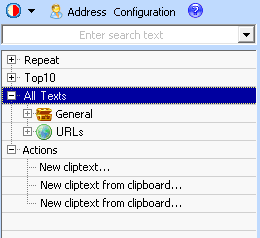 The new version 3.01 of ReplyButler is available and introduces several nice new features.
Now it’s not only possible to set the subject or add attachments using a text module, but you can also add CC or BCC. As a second new feature, you can now automatically include the first line from a text file into your boilerplate text (e.g. for a personal promo code).
Administrating the text modules has become easier, too. Â Now they’re not only available as menu, but the sidebar also shows them in a tree view.
The update and all information about the program can be found on the product page: ReplyButler – Text modules for Outlook.
Posted in New Release, Outlook, ReplyButler | Comments Off on ReplyButler 3.01 – Text modules for Outlook
March 13th, 2010
When answering customer e-mails it’s often helpful to quote URLs for more information. To avoid typos, you can use ReplyButler’s text module engine to store them nicely in menus.
And now comes the interesting part: If your website is multi-language, you can store multiple URLs (pointing to the same page, but in different languages) in the same text module. It’s still just one text module. Just one item that you have to click on. But ReplyButler knows that there’s more than one URL and will use the URL that you have entered for the language that was used in the current e-mail.
Automatically.
More info: ReplyButler.com
Posted in Outlook, ReplyButler, Trick | Comments Off on Trick: Using URLs as text modules
March 8th, 2010
The question remains, but the answer was just updated. The new version offers an improved support for netbooks with a low screen resolution and allows to “freeze” the list.
If you’re wondering what you computer is doing, you can find the answer here.
Posted in Free, New Release | Comments Off on What ‘s my computer doing? 1.01
January 24th, 2010
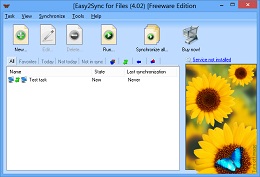 The new version 1.38 of Easy2Sync for Files is available. Apart from several smaller bugfixes and improvements the biggest news are the “Custom steps”. They allow Easy2Sync to run commands (like in batch files) before or after the sync.
More info about the program can be found on the file sync homepage.
Posted in Files, New Release, Sync | Comments Off on Easy2Sync for Files 1.38
