Easy2Sync for Files 7.02
Tuesday, January 20th, 2015 Â We just published version 7.02 of our file-sync software Easy2Sync for Files. The update brings llots of small improvements and fixes.
 We just published version 7.02 of our file-sync software Easy2Sync for Files. The update brings llots of small improvements and fixes.
More information can be found on the file sync page.
 We just published version 7.02 of our file-sync software Easy2Sync for Files. The update brings llots of small improvements and fixes.
More information can be found on the file sync page.
The new version 2.02 of our tool 1-Click Duplicate Delete for Files is now available. The update fixes an issue that could occur when an invalid file date was encountered.
More info about the software can be found on the duplicate files search page.
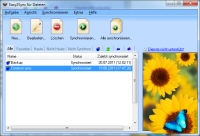 We just published version 7.01 of our file-sync software Easy2Sync for Files. The new version brings several small improvements and bug fixes.
More information can be found on the file sync page.
We just published version 7.00 of our file-sync software Easy2Sync for Files. The new version brings a redesigned user interface, SSL/TLS for e-mails and a lot of detail improvements.
More information can be found on the file sync page.
We just published version 6.03 of our file-sync software Easy2Sync for Files. The new version brings details improvements and fixes for FTP, speed and sorting.
More information can be found on the file sync page.
 We just published version 6.02 of our file-sync software Easy2Sync for Files. The new version brings a new command-line mode that allows you to work similar to XCOPY and copy MTP, SFTP/FTP/FTPS folders. Furthermore some FTP issues are fixed.
More information can be found on the file sync page.
We just published version 6.01 of our file-sync software Easy2Sync for Files. The new version fixes a few smaller bugs that happening when integrating the new FTP-engine (and sftp/fps).
More information can be found on the file sync page.
We just published version 6.00 of our file-sync software Easy2Sync for Files. The new version brings support for sftp:// and ftps:// server and new options for comparing files.
More information can be found on the file sync page.
 The new version 2.00 of our tool 1-Click Duplicate Delete for Files is now available. The update brings real 64-bit support. This allows you to do really huge searches for duplicates.
More info about the software can be found on the duplicate files search page.
We just published version 5.01 of our file-sync software Easy2Sync for Files. The update includes some bugfixes for the mobile phone sync and one of the (many) filter functions. More information can be found on the file sync page.
We just published version 5.00 of our file-sync software Easy2Sync for Files, which has some great news: For the first time it’s possible to sync MTP/Shell files from iPhone, iPad, Galaxy, Note, etc. Simply by USB, like any normal file. A drive letter is not required.
More information can be found on the file sync page.
Our file-sync software Easy2Sync for Files is now available for download as version 4.03. The update allows you now to tag tasks with a star (in the properties) as favorite and show only the favorites (using the tabs). Furthermore the last-sync-info was improved and extended via the tooltip and of course several smaller bugs fixed.
More information can be found on the file sync page.
Our file sync software Easy2Sync for Files is now available for download as version 4.02. The update includes fixes for problems with the empty-folder-filter, the new-task-wizard and the creation of folders.
More information can be found on the file sync page.
Our file sync software Easy2Sync for Files is now available for download as version 4.01. The update brings a number of small bug fixes and now shows the number of files that still need to be processed as absolute number.
More information can be found on the file sync page.
Easy2Sync for Files, our file-sync-software is now available as version 4.00. The update includes real Unicode support. You don’t need to activate it manually anymore and it now works even in complicated situations. Furthermore problems the recognition of winter time, with the file-age-filter and with the deleting of files into the recycle bin were fixed.
More information can be found on the file sync page.
